
Guide
J2ME Loader Scaling and Screen Size, Made Simple
Stretch, fit or run at exact size? J2ME Loader scaling and screen size options explained with the right choice for racers, puzzlers and platformers.

CONTENTS On this page
Two different settings, often confused
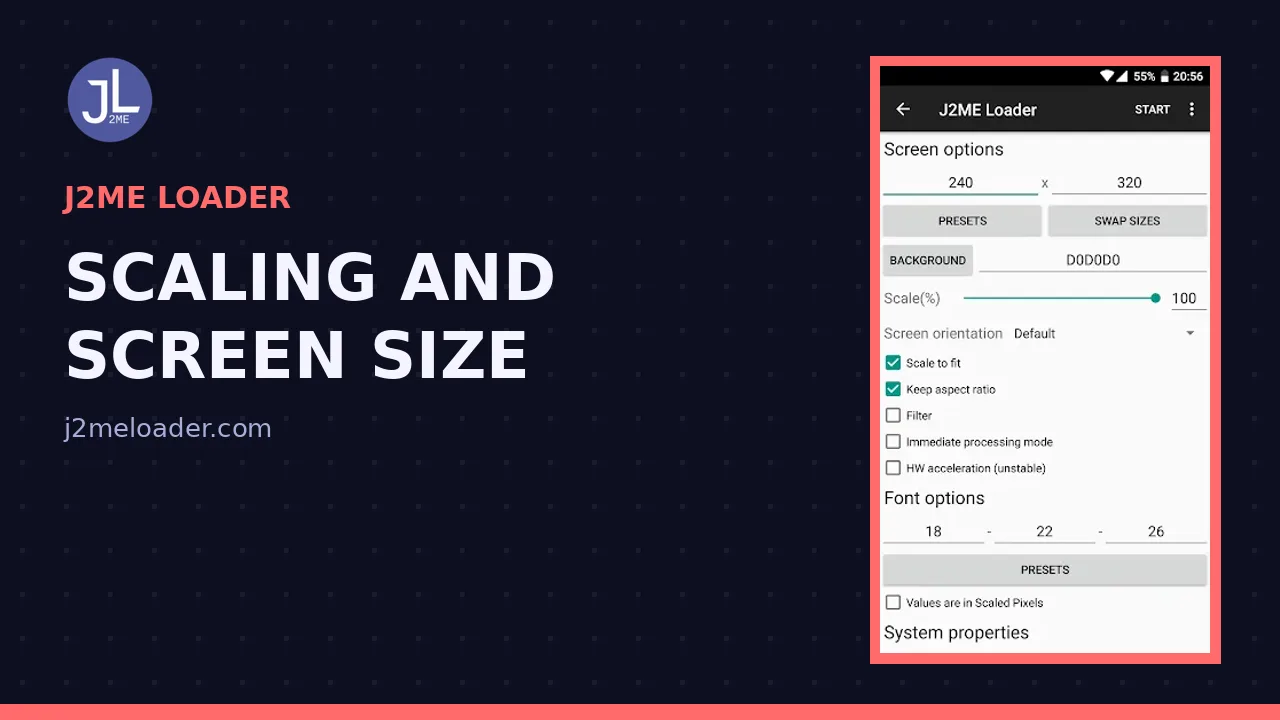
Screen size tells the game what display it is running on: 176x208, 240x320 and friends. Scaling tells your phone how to present that picture on a modern display. Mixing the two up causes most display complaints, so keep them separate in your head and in your per game profile.
Set the size first, always. A game drawn for 240x320 and told it has 176x208 will misplace menus no matter how kindly you scale the result. The current build from J2ME APK home labels both clearly inside each game settings.
The scaling choices
Keep aspect preserves the original proportions, sharp and honest, with bars where the shapes disagree. Stretch to fill uses the whole screen and forgives widescreen sins, at the price of slightly wider sprites. Exact size runs the game at its native pixels, tiny on a modern phone but pixel perfect.
There is no universal winner. There is only the right choice for the game in front of you, which is why the setting lives per game rather than globally.
Picks by genre
Racers and action games: stretch to fill, and enjoy the size. Platformers: keep aspect, because jump distances were tuned to true proportions. Grid puzzles and board games: keep aspect or exact size, since circles should stay circles and grids should stay square.
Text heavy adventures want size above all; a mild stretch that makes words readable beats a faithful postage stamp. When torn, play one level each way. Your eyes settle the argument faster than any guide, including our best settings overview.
Orientation notes
Some games declare portrait, some landscape, and a few were built for the odd square screens of specific handsets. If a title opens sideways or squeezed, its declared size is the first suspect, its orientation the second.
Get these two settings right and the era looks the way you remember it: bright, chunky and entirely confident about being small.
A note for the perfectionists, because this topic attracts them: there is no objectively correct presentation, there is only the presentation the game designer assumed. They assumed a small screen at a normal viewing distance, bright and a little forgiving. Recreate that relationship and the art reads as intended, whatever the pixel count. J2ME Loader scaling options are best understood as seating positions rather than quality settings; move closer or further until the picture sits right. When a game looks wrong in J2ME Loader, players almost always blame the emulator first and the seating second, and almost always have it backwards.
Quick Answers
Why does my game look stretched?
Its scaling is set to fill the screen. Switch that game to keep aspect for true proportions.
What screen size do most games want?
240x320 covers the largest share of later Java games. Earlier titles often want 176x208 or 128x128.
Is exact size ever the right choice?
For pixel art purists and grid games, yes. On modern high resolution screens it is small but perfectly sharp.